Router Cooling Solutions: Why OEMs Should Give Serious Consideration to Active Cooling

As a manufacturer specialising in custom cooling fans, we have worked with numerous router manufacturers. A common issue we encounter is that, during the design phase of many mid-to-low-end routers, thermal management is often treated as an ‘insignificant’ consideration.
However, the reality is that thermal management is becoming a key bottleneck for router reliability.
Router overheating is no longer a ‘minor issue’
With the widespread adoption of Wi-Fi 6/7, the power consumption of router SoCs has risen from 2–3W in the early days to 8–15W. Coupled with 2.5G/10G switch chips and dedicated FEM modules, the overall power consumption of the device has surged significantly.
Passive cooling (relying solely on heat sinks and ventilation holes in the casing) is now proving inadequate for such devices.
Typical issues reported by customers include:
● High temperatures triggering throttling, resulting in a throughput reduction of over 30%
● Prolonged overheating leading to capacitor ageing and poor solder joints, causing an increase in repair rates
● Enclosed installation environments (electrical cabinets, multimedia cabinets) accelerating heat build-up
The conclusion is clear: for mid-to-high-end routers, active cooling is not a ‘nice-to-have’ but a ‘must-have’.
Three Key Considerations for Fan Selection
From a factory-supplied component perspective, we recommend that router manufacturers pay attention to the following parameters:
1. Dimensions and Airflow
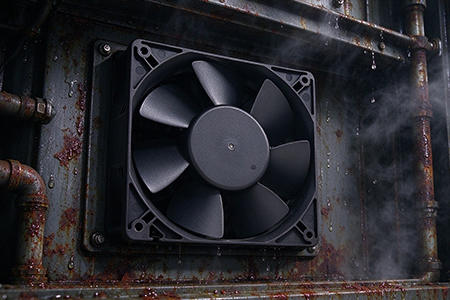
Common specifications are 40×40×10mm, 50×50×15mm and 60×60×15mm. The choice should be based on the overall thickness of the device and the distribution of heat sources. Airflow is recommended to be within the 5–15 CFM range to balance heat dissipation and noise levels.
2. Noise Control
Routers are typically placed in living rooms or bedrooms, where noise sensitivity is high. We recommend fluid dynamic bearing (FDB) or fluid-damped bearing solutions, with noise levels controlled between 22–28 dBA. Avoid using oil-lubricated bearings, as they are prone to failure under prolonged high-temperature conditions.
3. Lifespan and Reliability
The design lifespan of a router is typically 3–5 years. Fans must be compatible with this: dual ball bearings offer a lifespan of over 50,000 hours, whilst FDB bearings can achieve a comparable level. It is also recommended that they support PWM speed control, automatically adjusting the speed based on temperature to further reduce everyday noise.
Typical Application Solutions
|
Router type |
Recommended fan solutions |
|---|---|
|
Entry-level Wi-Fi 6 |
Passive cooling or single module 40×40×10mm (5V/12V) |
|
Mid- to high-end Wi-Fi 6/7 |
Dual-fan configuration (e.g. 2 × 50 × 50 mm), exhaust-style design |
|
Enterprise-grade/esports routers |
Turbine fan with duct design, airflow 15–20 CFM |
Advantages of Customised Supply
As a factory-to-factory supplier, we can provide:
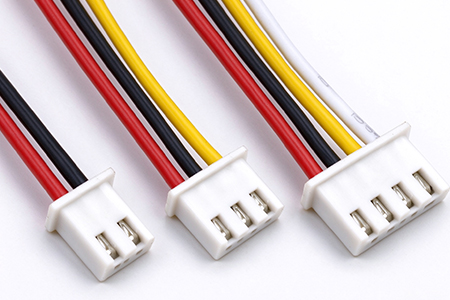
● Customised voltage (5V/12V), connectors (PH2.0, XH2.54, etc.) and cable lengths
● Versions for special applications, such as dustproof and waterproof (IP54)
● Rapid prototyping, reliable lead times and controllable bulk production costs
Heat dissipation requirements for routers are evolving from a ‘nice-to-have’ feature to a ‘standard specification’. Planning for active cooling solutions in advance not only reduces return rates and enhances product reputation but also leaves design headroom for future high-performance models.
If you are developing a router project, we recommend reserving space for a fan during the structural design phase – the cost difference is minimal, but the results are night and day. We welcome you to get in touch for a detailed discussion.
Selecting bearings for DC cooling fans: ball bearings vs hydraulic bearings – which is quieter?
Why are 12V radial fans so effective at cooling electronic devices?